

The new PowerToys represent a clear picture of the way Microsoft has approached Windows software development. You want to engage the community to create tools that adapt to your users and what they need.
Over time, small innovations and gadgets have appeared that raise the bar for these innovations and offer users new possibilities. The latest version has now arrived and it brings 3 new tools to explore more of what can be done in Windows.
Despite being a novelty, these three new tools have been talked about for quite some time. These will now become part of the PowerToys suite of offerings and therefore become available For all users to be explored and used widely.
Ruler for measuring pixels in Windows
The first suggestion comes from the new PowerToys, called Screen Ruler, to give the user a simple and easy way to measure the pixels on their screen. Using the mouse, and pointing to the points the user wants to measure, this ruler quickly presents the information he wants to know.
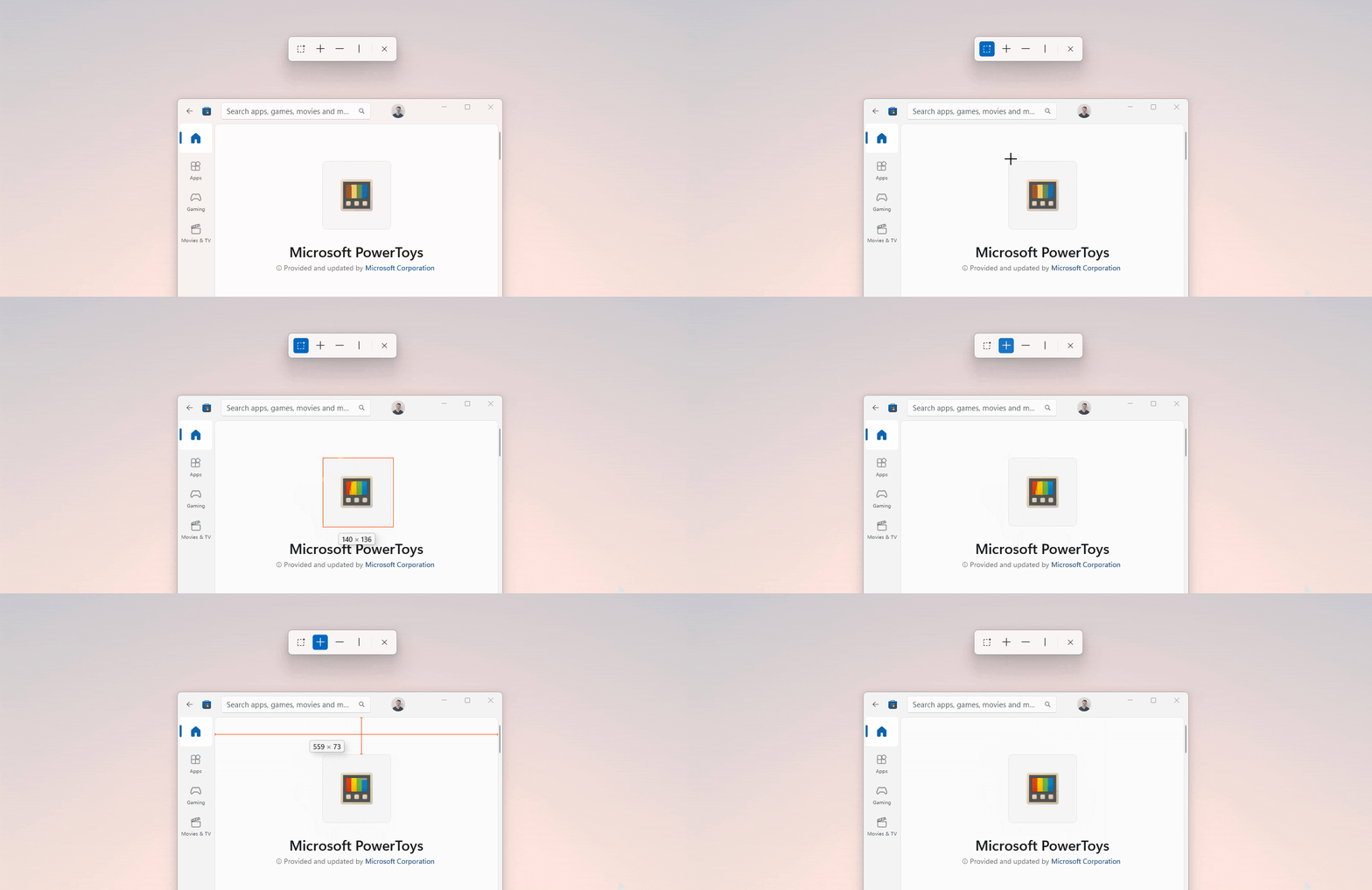
There are even some additional modes that allow you to use the ruler more widely. We are talking about setting limits where the user can simply choose a specific area to measure. This tool also allows you to define spacing modes and thus find similar areas in the measurements.
Tools to get text with PowerToys
PowerToys' second tool, the text extraction tool, might be the most interesting of all. The name well indicates its usefulness and allows users to extract texts from any area of the screen, be it an image or any other medium. You only need to draw an area and using OCR these texts are recognized.
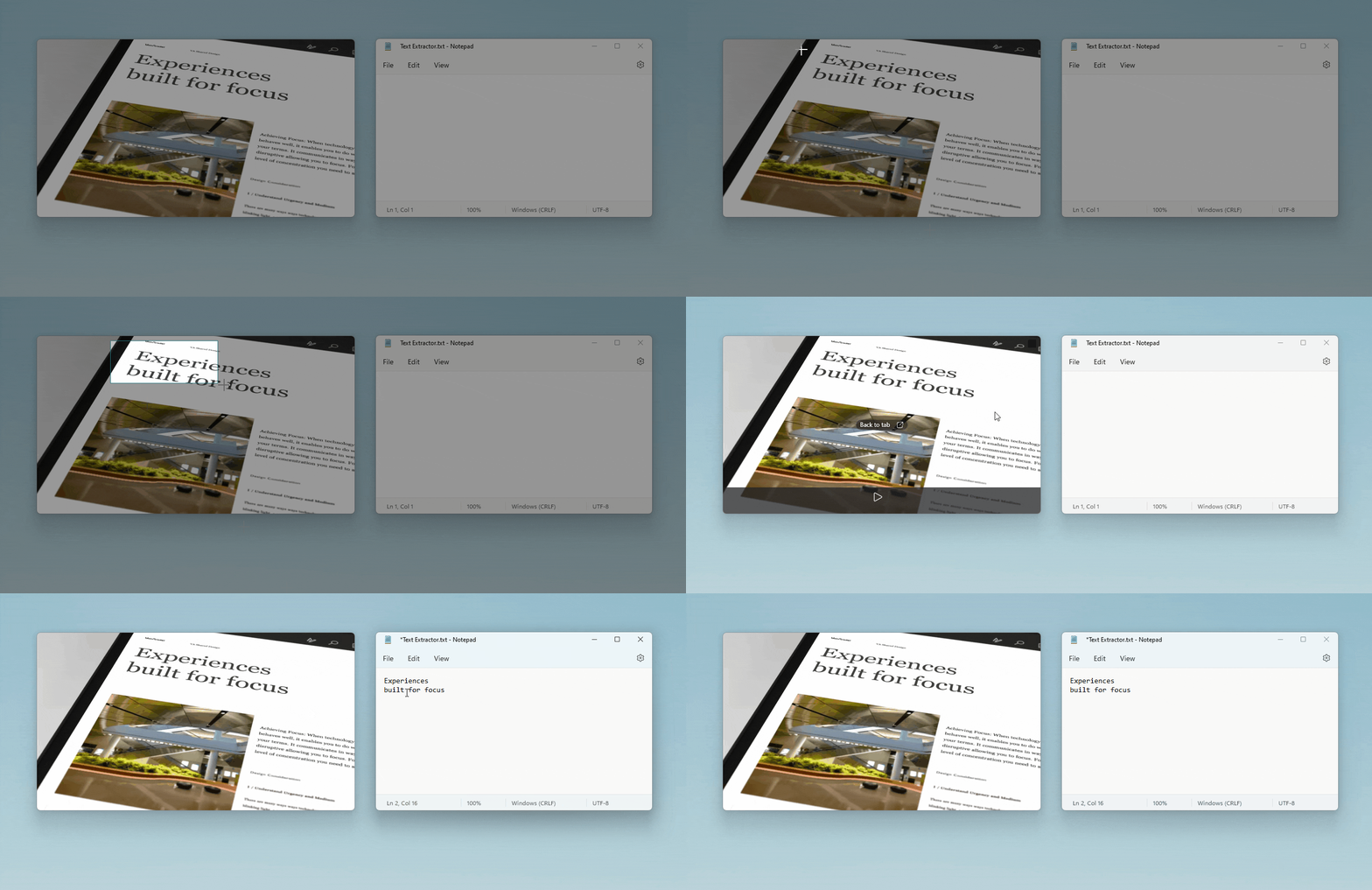
The user can also use the shift key to move the selected area thus giving more precision in his selection. Finally, this bundled text is ready to use, just pasted into whatever editor the user wants to use. Probably the simplest way to do this set of texts from any part of the screen.
Finally, the new Quick Accent feature is something we already naturally have on our keyboards, at least in Portuguese. It lets you write letters with accents, just like a phone. These three novelties are already available in an update and available For those who want to install This is the new version of PowerToys.

Chris Skeldon is a contributor to Brytfmonline.com, covering a wide range of topics including news, politics, business, technology, sports, entertainment, and lifestyle. He focuses on delivering clear, accurate, and reader-friendly reporting that helps audiences stay informed about current events and emerging developments. With an emphasis on useful information and balanced storytelling, Chris aims to provide timely coverage of issues and stories that matter most to readers.